
Adding a Kubernetes target§
Warpgate allows you to securely access Kubernetes clusters through a unified entry point, providing auditing and session recording for all API requests.
How it works§
When you add a Kubernetes target, Warpgate acts as an authenticating proxy for the Kubernetes API. Users connect to Warpgate with their own credentials — a client certificate, a Warpgate API token, or single sign-on via kubelogin — and Warpgate connects to the upstream cluster using the authentication you've configured (a client certificate, a bearer token, or an EKS IAM role).
All requests are recorded and can be audited later.
Enabling Kubernetes listener§
Enable the Kubernetes protocol in your config file (default: /etc/warpgate.yaml) if you didn't do so during the initial setup:
+ kubernetes:
+   enable: true
+   listen: '[::]:8443'
+   certificate: /var/lib/warpgate/tls.certificate.pem
+   key: /var/lib/warpgate/tls.key.pem
You can reuse the same certificate and key that are used for the HTTP listener.
Connection setup§
Log into the Warpgate admin UI and navigate to Config > Targets > Add target and give the new Kubernetes target a name:
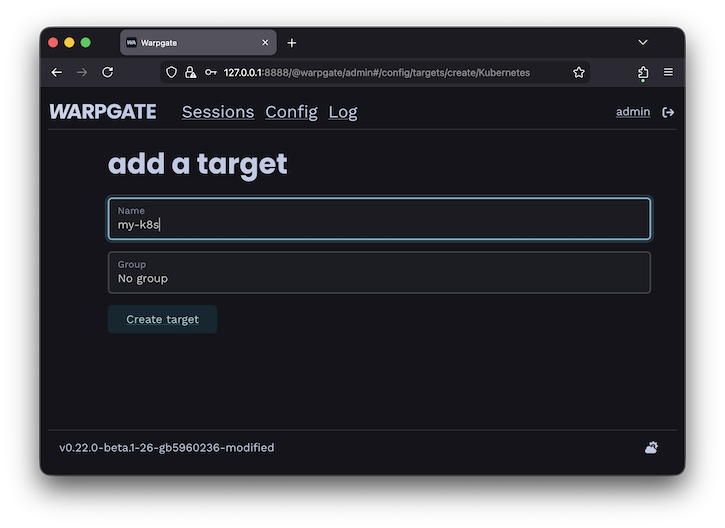
Adding a Kubernetes target
Fill out the configuration:
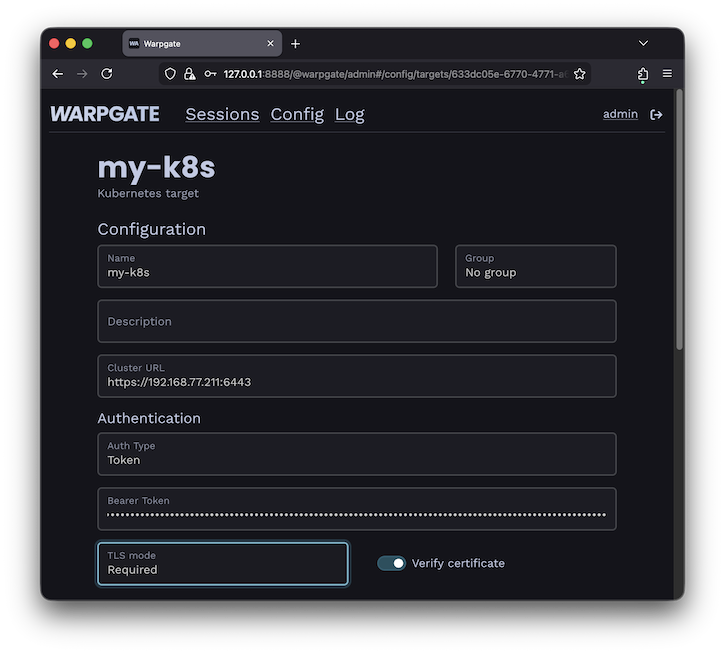
Kubernetes target configuration
The target should show up on Warpgate's homepage:
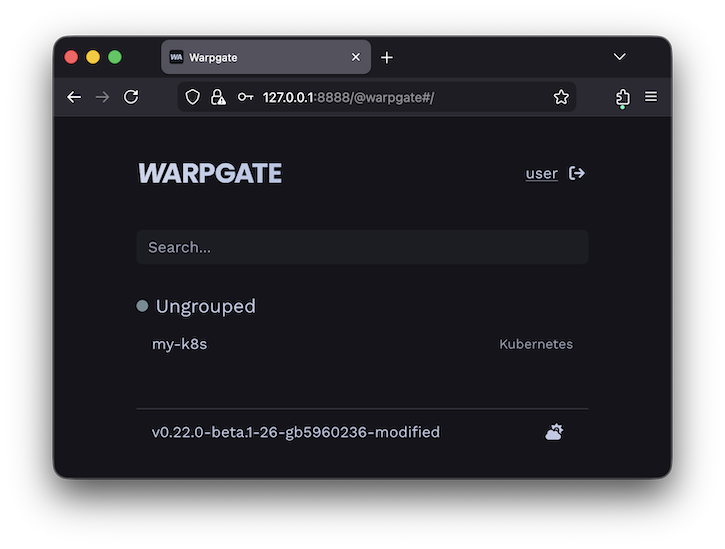
Kubernetes target on the homepage
Users will be able to click the entry to obtain connection instructions:
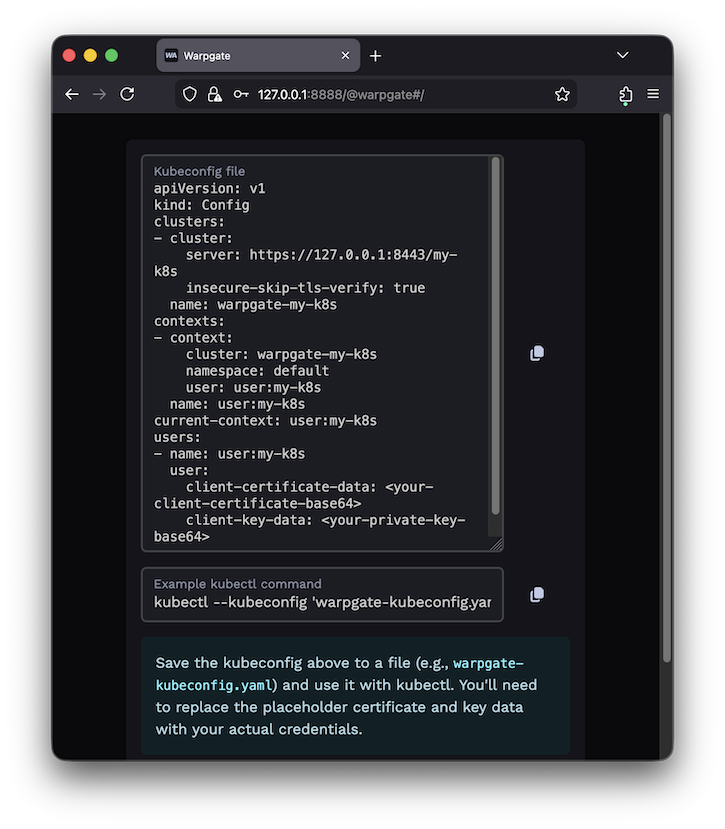
Kubernetes target on the homepage
Note that this dialog offers an option to issue a new certificate in-place, storing it in the browser. This allows the frontend to generate a drop-in kubeconfig file with credentials already pre-filled.
See Authentication for details on certificate key storage.
Client setup§
You can now use kubectl or any other Kubernetes client applications to connect through Warpgate with the settings shown. You can also use a Warpgate API token as a Bearer token when connecting to the Kubernetes API endpoint.
While your Kubernetes client is active, you'll be able to see the session status in the Admin UI, including the log, API queries and session recordings:
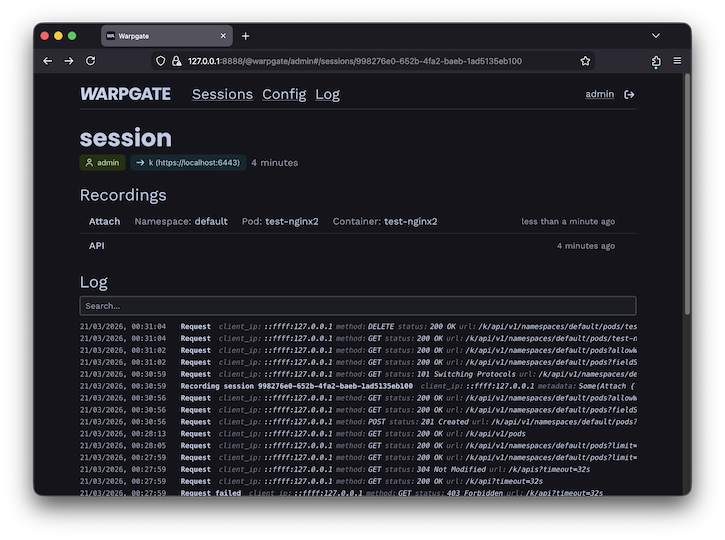
Kubernetes session view
Warpgate records API calls and can replay exec, run and attach sessions.
AWS EKS IAM authentication§
If Warpgate runs on AWS, it can authenticate to an EKS cluster using its IAM role instead of a stored certificate or token. Select IAM Role as the target's authentication method (shown only when Warpgate detects it is running on EC2). Warpgate resolves the EKS cluster from the cluster URL and generates a short-lived EKS token.
Map Warpgate's IAM role to a Kubernetes user or group in the cluster's access configuration (aws-auth ConfigMap or access entries).
Single sign-on with kubelogin§
Instead of a Warpgate-issued client certificate, users can authenticate to Kubernetes targets over SSO, using the kubelogin (oidc-login) kubectl plugin to obtain an OIDC token directly from the OIDC provider.
To enable it, add a kubernetes block to a custom (issuer-based) SSO provider in your config file:
  sso_providers:
    - name: my-idp
      label: Company SSO
      provider:
        type: custom
        client_id: ...
        client_secret: ...
        issuer_url: https://sso.acme.inc
        scopes: ["email"]
+       additional_trusted_audiences: ["kubernetes"]
+     kubernetes:
+       client_id: kubernetes                     # the OIDC client id kubectl will use
+       # scopes: ["openid", "email", "profile"]  # optional
+       # client_secret: ...                      # optional, for confidential clients
- Only
custom(issuer-based) providers can be used for Kubernetes SSO. - The
client_idyou set underkubernetesmust also appear in the provider'sadditional_trusted_audiences, so that tokenskubectlobtains are accepted. - Users need the
kubelogin(oidc-login)kubectlplugin installed.
Once configured, the target's Access instructions dialog offers an "OIDC with kubelogin" option that generates a ready-to-use kubeconfig, alongside the certificate option.